 temp mail
· 5 min read
Temporary Email App
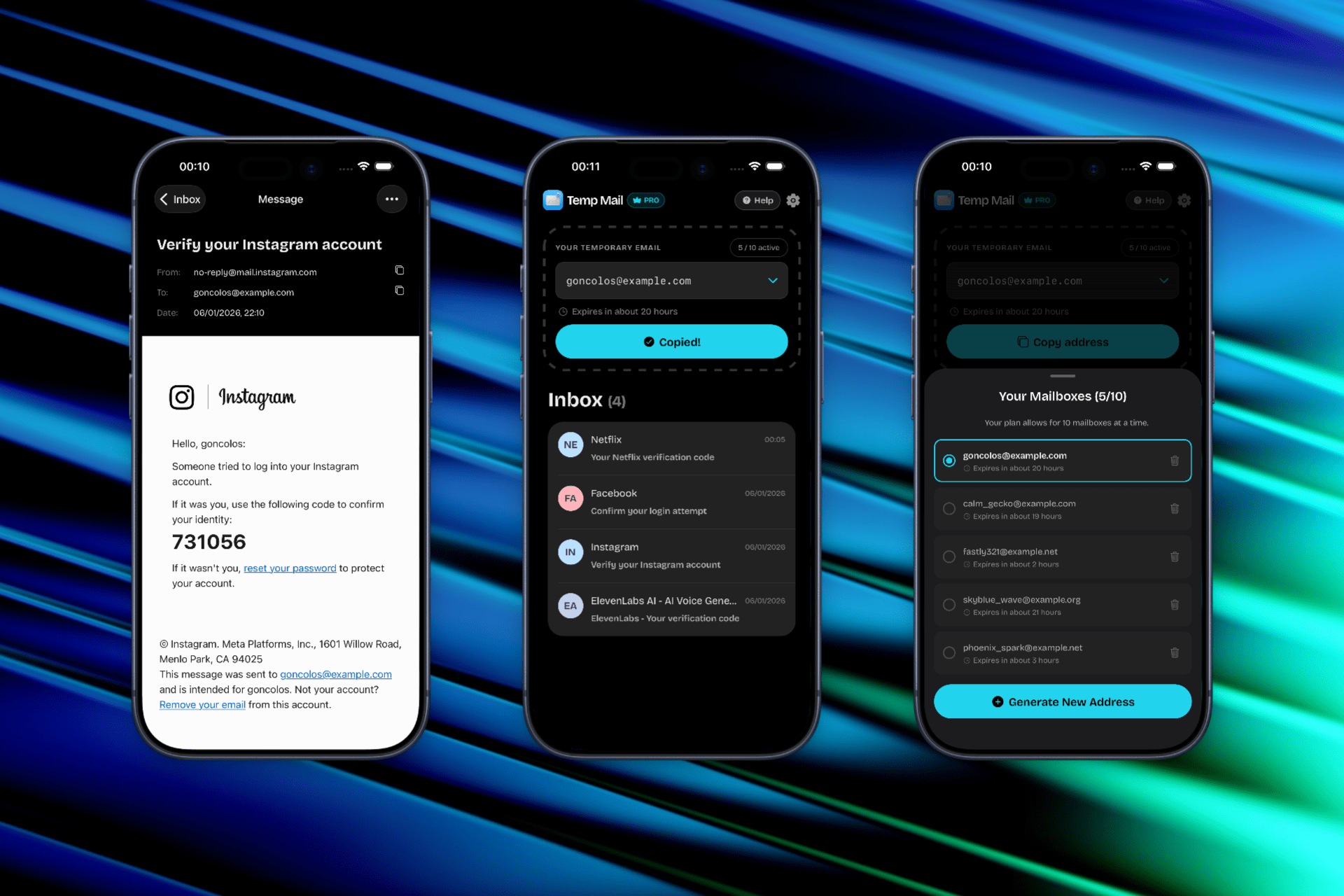
A temporary email app makes it easy to generate disposable addresses, copy them fast, and receive verification emails in a clean inbox on your phone.
Choosing a Temporary Email App in 2026
We spend the majority of our digital lives on our phones, yet most privacy tools are still built for the desktop. A temporary email app solves this by putting burner addresses directly into your mobile workflow. No more fighting with desktop-only websites or clunky browser tabs—just fast, reliable anonymity at your fingertips.
If you’re curious about the mechanics of privacy, read our email privacy basics guide.
The Mobile Advantage
Using a dedicated temporary email app offers several benefits over using a browser:
- Native Speed: Generate and copy addresses in a fraction of the time.
- Push Notifications: Get alerted the moment your verification code arrives.
- Better Security: Apps can offer sandboxed environments that are safer than open browser sessions.
- Clean UI: Skip the banner ads and popups that plague free web-based mail services.
Temp Mail for iOS is available now
Temp Mail for iOS is now live on the App Store. Our goal is to deliver the fastest, most intuitive burner email experience on iPhone.
App Features:
- Instant Generation: Get a fresh address with a single tap.
- Smart Copy: Optimized for the iOS clipboard.
- Live Inbox: A minimalist, high-speed inbox for verification codes and links.
- Simple Disposal: Burn your address and start over whenever you want.
Download: Temp Mail - Disposable Mailbox.
Use Cases for Mobile Burners
- App Store Signups: Test new apps without linking your iCloud email.
- Mobile Marketplace: Communicate with buyers/sellers without giving out your real address.
- Public Wi-Fi Login: Verify your identity on public hotspots safely.
- In-App Trials: Start a free trial and avoid the follow-up spam.
Frequently Asked Questions
What is a temporary email app?
A temporary email app is a mobile application that generates disposable email addresses for you. Instead of using your real email address for signups and verifications, you get a burner address that automatically receives emails in the app’s inbox. Once you’re done, you can delete the address and all associated messages.
How does a temporary email app work on iOS?
The app generates a unique email address on demand. When someone sends an email to that address, it appears in your app’s inbox within seconds. You can read the message, copy verification codes, click links, and then dispose of the entire inbox when finished. No account creation or personal information is required to start using it.
Is using a temporary email app safe?
Yes, temporary email apps enhance your privacy by keeping your real email address hidden from third parties. However, you should never use disposable addresses for important accounts that require password recovery or long-term access. These inboxes are designed to be temporary and will be deleted after a set period.
Does the Temp Mail iOS app cost money?
Temp Mail for iOS offers both free and premium features. The core functionality—generating addresses and receiving emails—is available at no cost. Check the App Store listing for current pricing on premium features like custom domains or extended inbox retention.
Can I use a temporary email app for social media signups?
Yes, many users employ temporary email apps for social media registration to test platforms or maintain additional accounts without linking their primary email. However, some social networks may detect and block disposable addresses, so results can vary by platform.
What’s the difference between a temporary email app and a web-based service?
A native temporary email app on iOS provides faster performance, push notifications for incoming emails, better integration with your device’s clipboard, and a cleaner user experience without browser ads. Web-based services work across any device but lack the speed and convenience of a dedicated mobile app.
How long do temporary email addresses last?
Most temporary email addresses remain active for a limited time—typically between one hour and 24 hours, depending on the service. After that period, the inbox and all messages are permanently deleted. Always complete your verification or signup process before the address expires.
Can I receive attachments in a temporary email app?
Many temporary email apps support basic attachments like PDFs and images. However, some apps restrict file types or sizes for security reasons. If you need to receive specific file types, check the app’s feature list or documentation before relying on it for important transfers.
Will companies know I’m using a temporary email address?
Some services actively detect and block domains associated with temporary email providers. While many signups will work without issue, certain platforms—especially those requiring verified accounts—may reject disposable addresses. For maximum compatibility, use your real email when long-term access is necessary.
Can I send emails from a temporary email app?
Most temporary email apps are designed for receiving emails only, not sending them. They function as one-way inboxes optimized for verification codes and signup confirmations. If you need two-way communication with anonymity, consider a privacy-focused email service with alias support instead.
Disclaimer & Guidelines
Please use our temporary email app in accordance with the terms of the services you register for. Temp Mail is an independent utility and is not affiliated with any third-party app or website. We are not responsible for account-related issues or data loss.
Important: Temporary inboxes are deleted after a set period. They are not suitable for accounts you intend to keep long-term or for services that require password recovery via email.